Design Research
Visual Design
UI & UX Design
SimpleStudy is Ireland’s fastest-growing learning platform and study community for the Leaving Cert and Junior Cert exams. We are a small Irish team based in west-cork working hard to give you an edge through affordable access to exclusive resources and study tools usually reserved for private schools or expensive tutors.
SimpleStudy offers a wide range of resources and materials for secondary-level students in Ireland, including H1 revision notes, quizzes, sample essays, exam questions by topic, and more. The platform helps students prepare for exams and achieve their academic goals.
The goal of the redesign was to address usability issues, enhance user experience, and introduce features that support learners in achieving their academic goals.
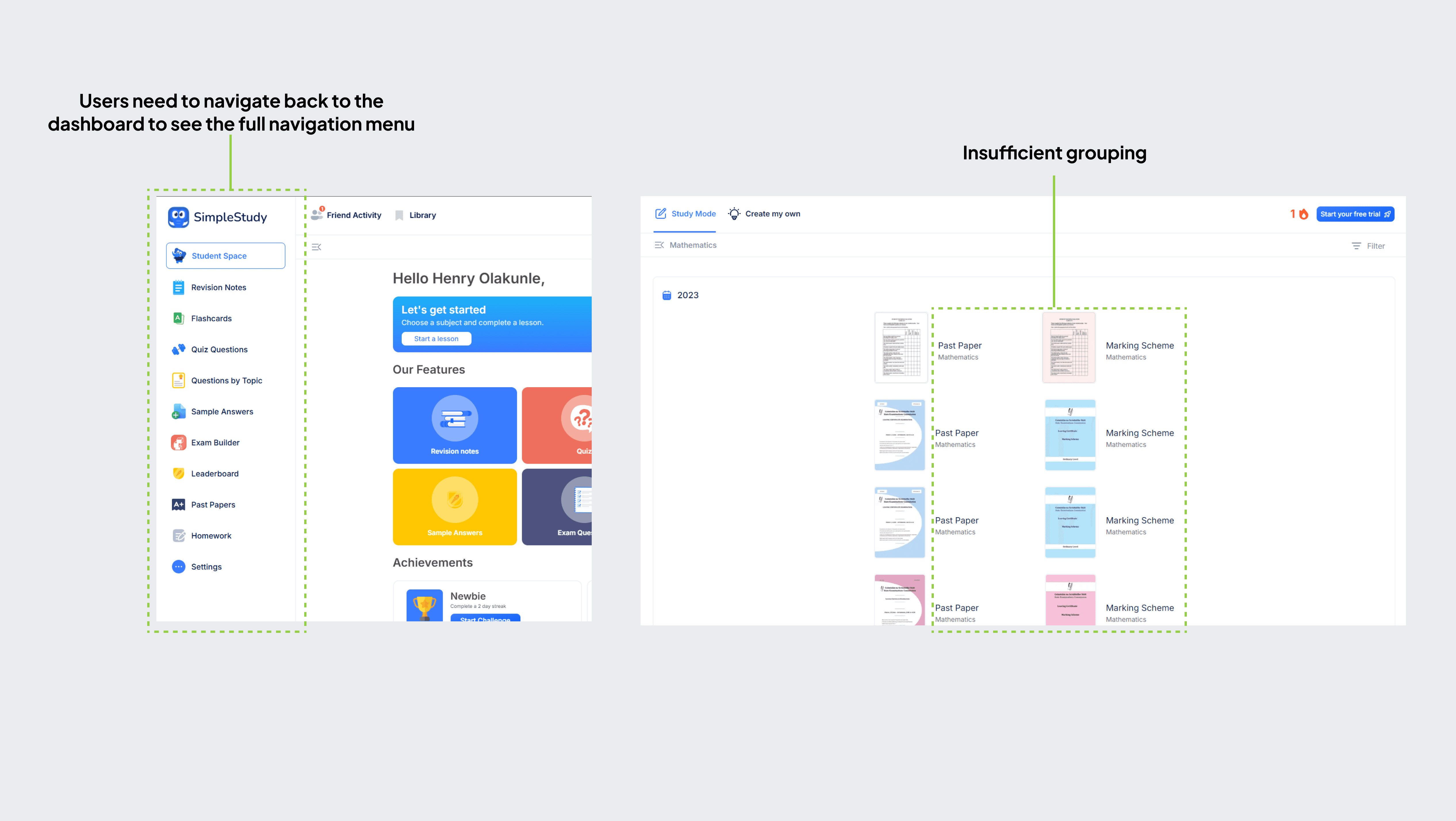
Before initiating the redesign, I conducted an audit of the existing past papers page to identify usability issues and areas for improvement
These insights helped shape the redesign, ensuring that the new layout directly addressed these pain points
Identifying the Challenges
Identifying the Challenges
Identifying the Challenges
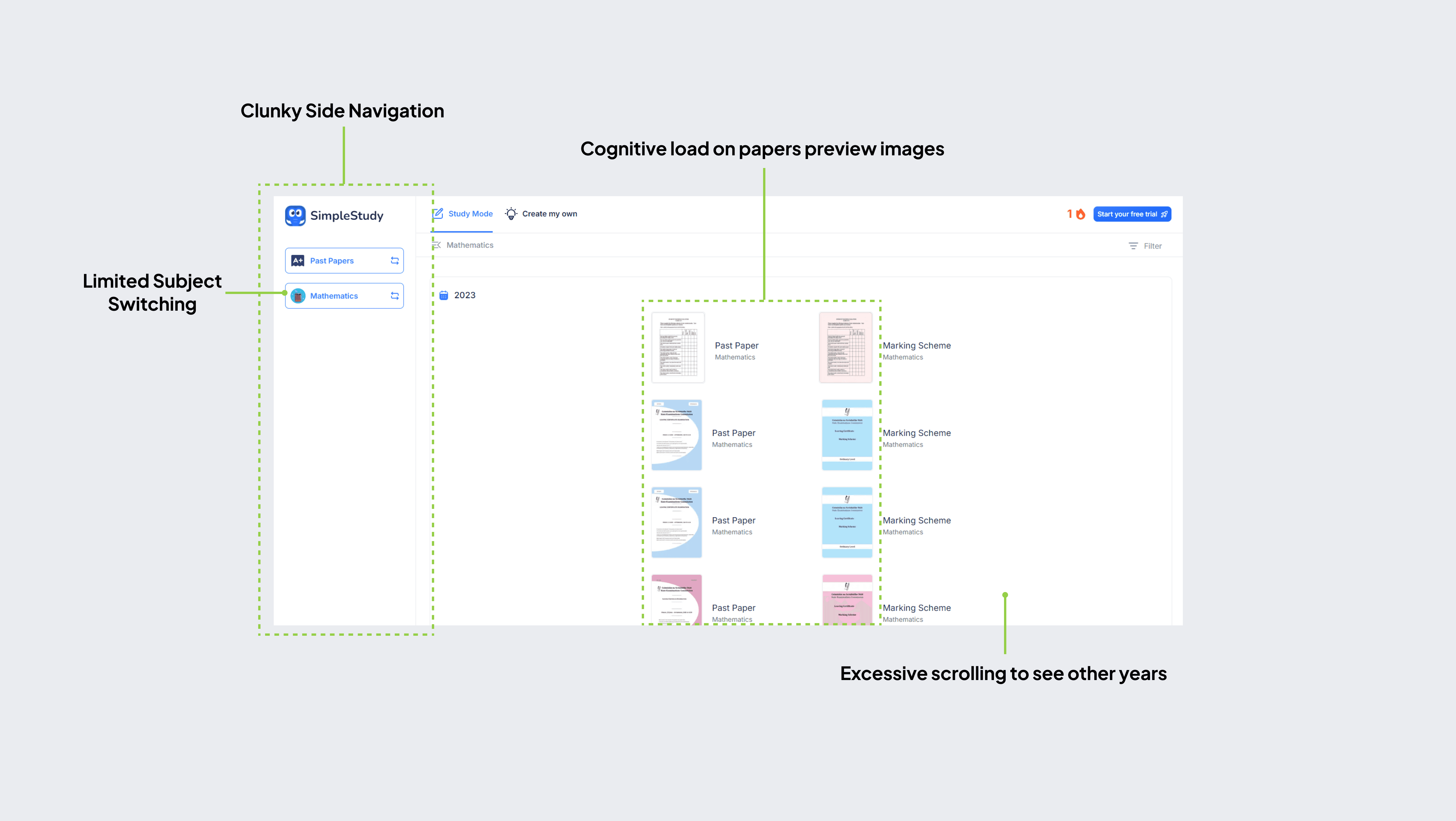
The primary issues with the old design were:
Poor Visual Hierarchy: Users struggled to differentiate between content, leading to frustration.
Inefficient Navigation: Users had to scroll extensively to access papers from different years, and the side navigation required multiple clicks to reach the main menu.
Limited Subject Switching: Users had to restart the entire search process to check past papers for another subject, increasing friction.
Insufficient Content Grouping: Related information wasn't grouped effectively, making it harder for users to find what they needed.
The primary issues with the old design were:
Poor Visual Hierarchy: Users struggled to differentiate between content, leading to frustration.
Inefficient Navigation: Users had to scroll extensively to access papers from different years, and the side navigation required multiple clicks to reach the main menu.
Limited Subject Switching: Users had to restart the entire search process to check past papers for another subject, increasing friction.
Insufficient Content Grouping: Related information wasn't grouped effectively, making it harder for users to find what they needed.
The primary issues with the old design were:
Poor Visual Hierarchy: Users struggled to differentiate between content, leading to frustration.
Inefficient Navigation: Users had to scroll extensively to access papers from different years, and the side navigation required multiple clicks to reach the main menu.
Limited Subject Switching: Users had to restart the entire search process to check past papers for another subject, increasing friction.
Insufficient Content Grouping: Related information wasn't grouped effectively, making it harder for users to find what they needed.
Platforms like Duolingo, Udemy, and Coursera were analyzed for their navigation patterns, grouping mechanisms, and search functionalities.
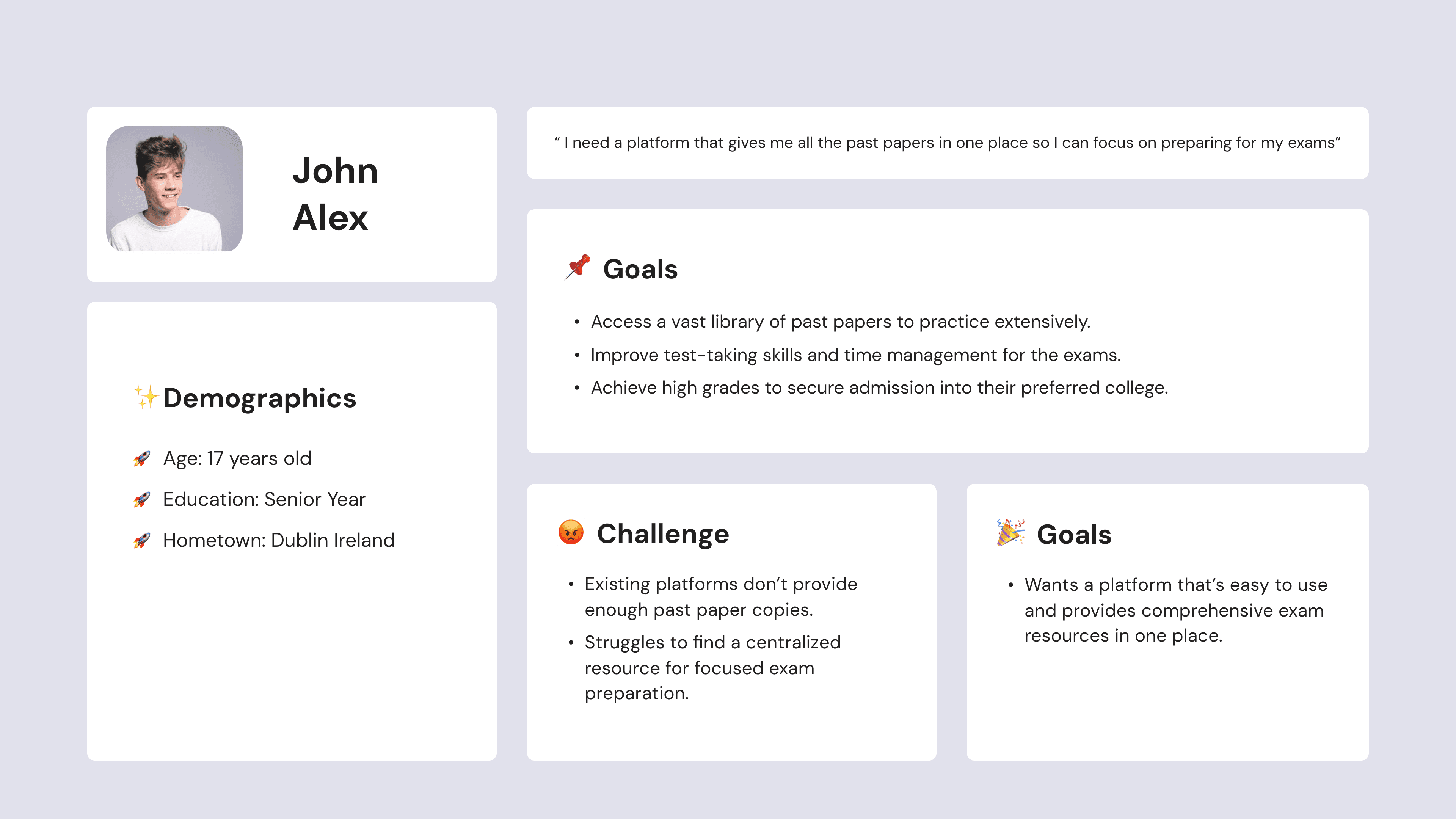
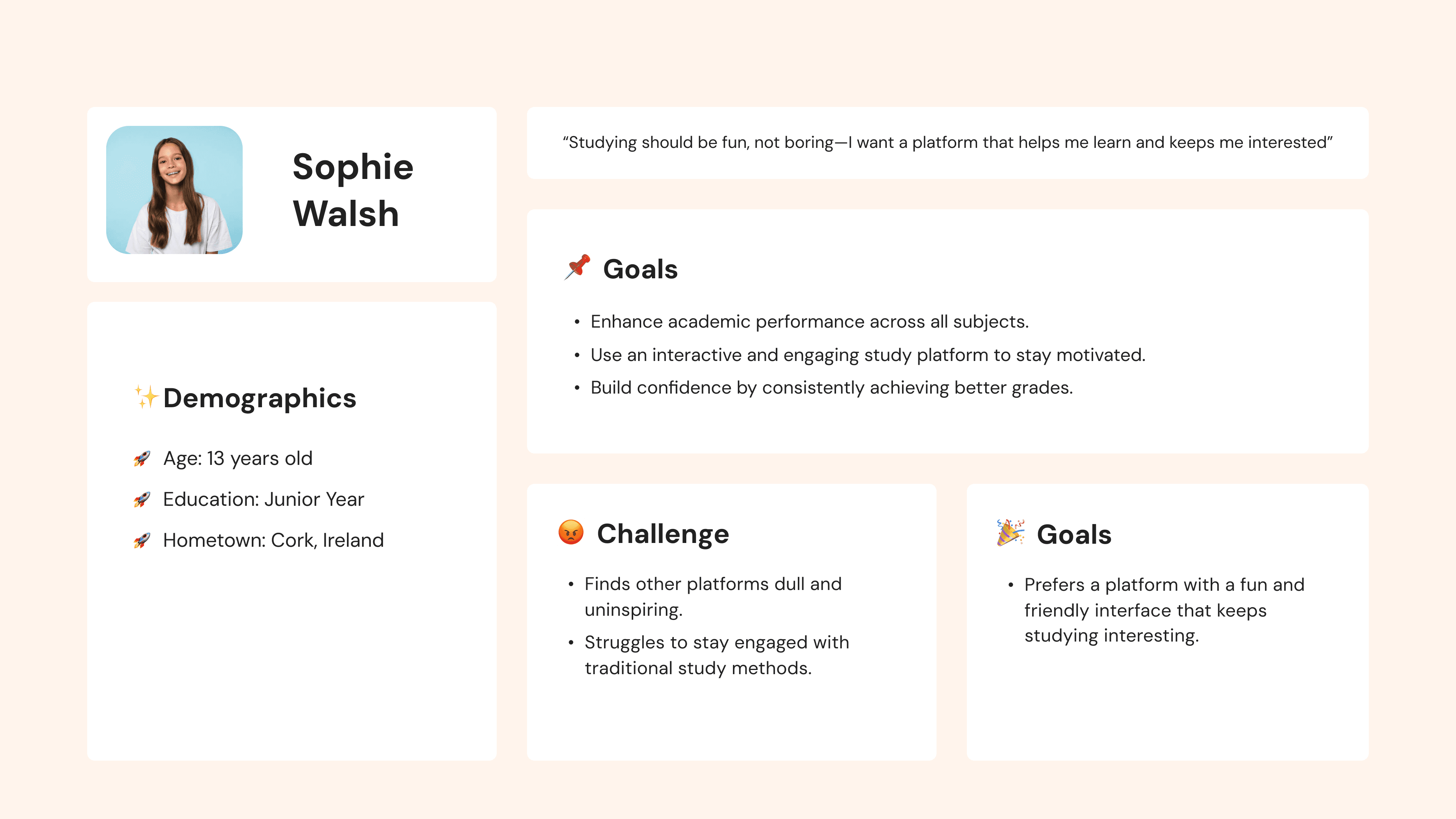
These are the typical users based on the research carried out
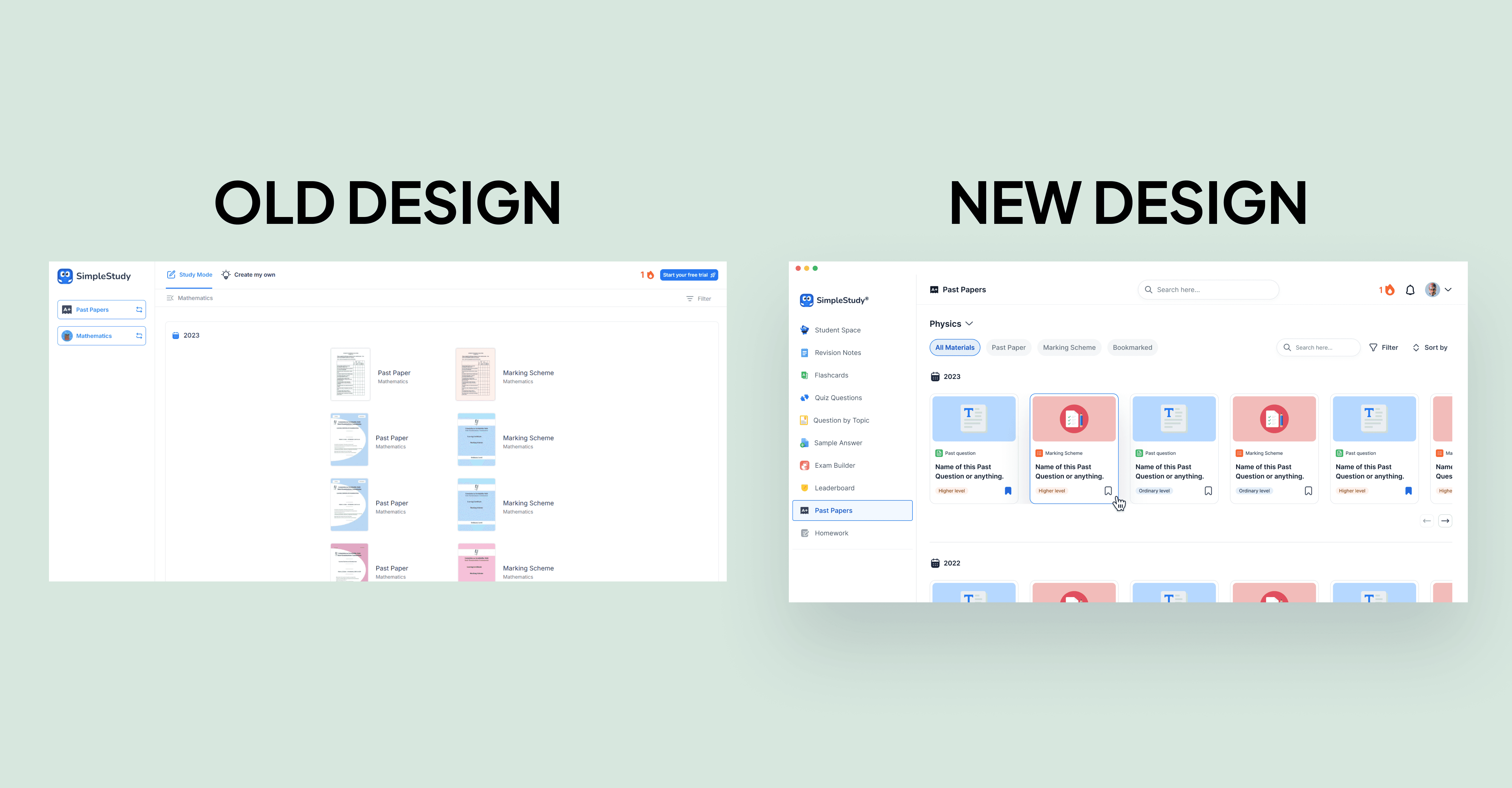
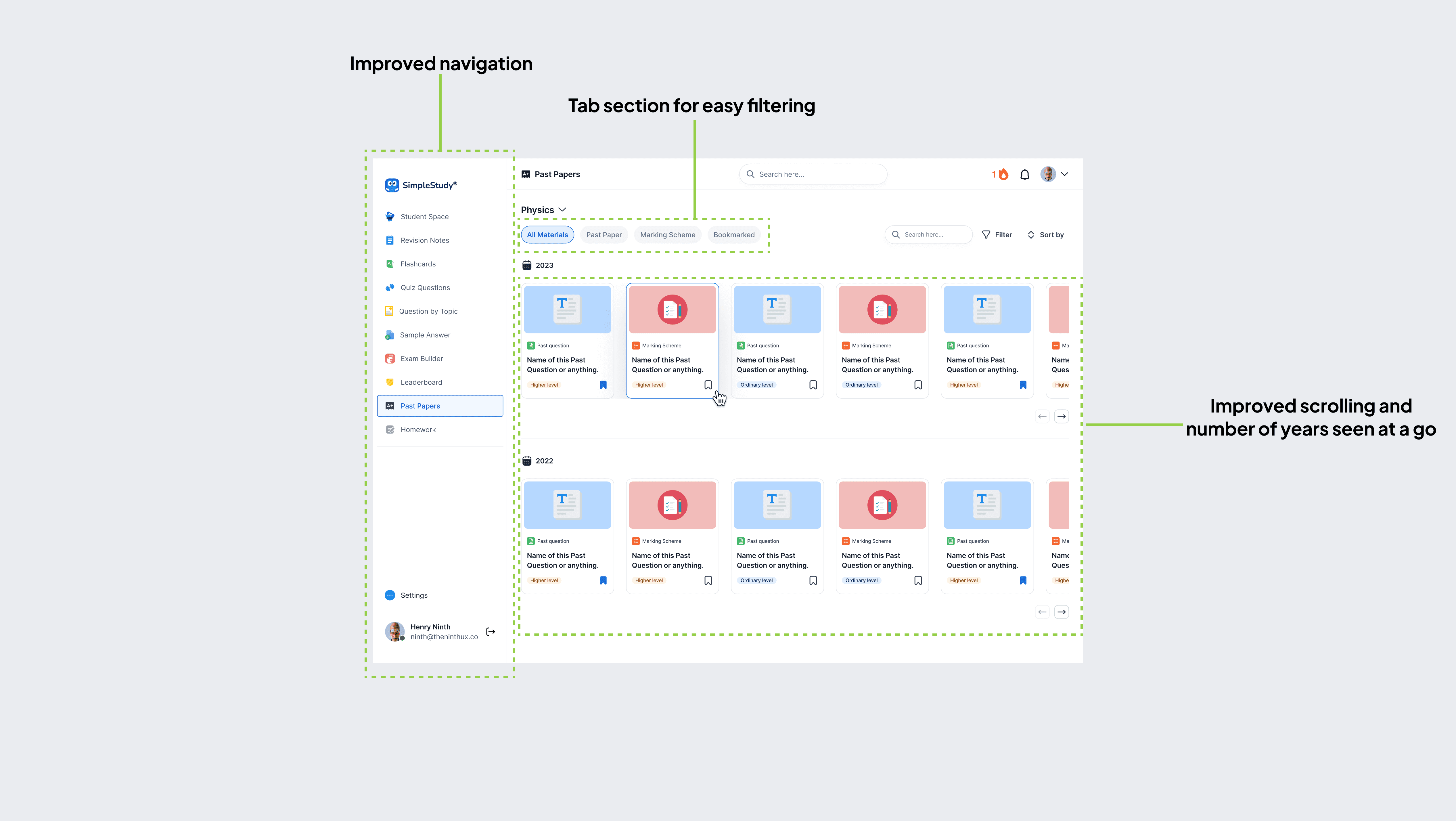
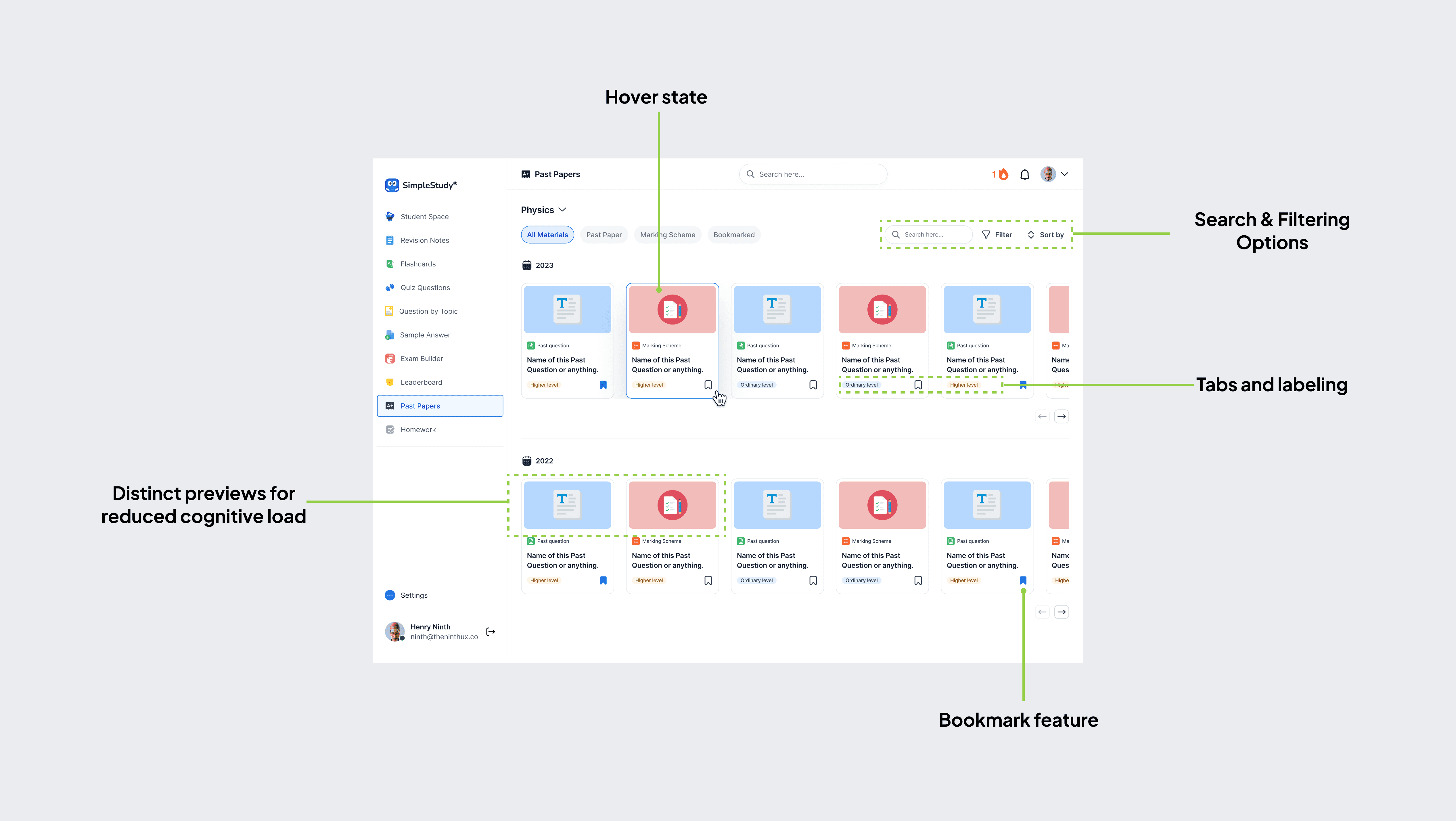
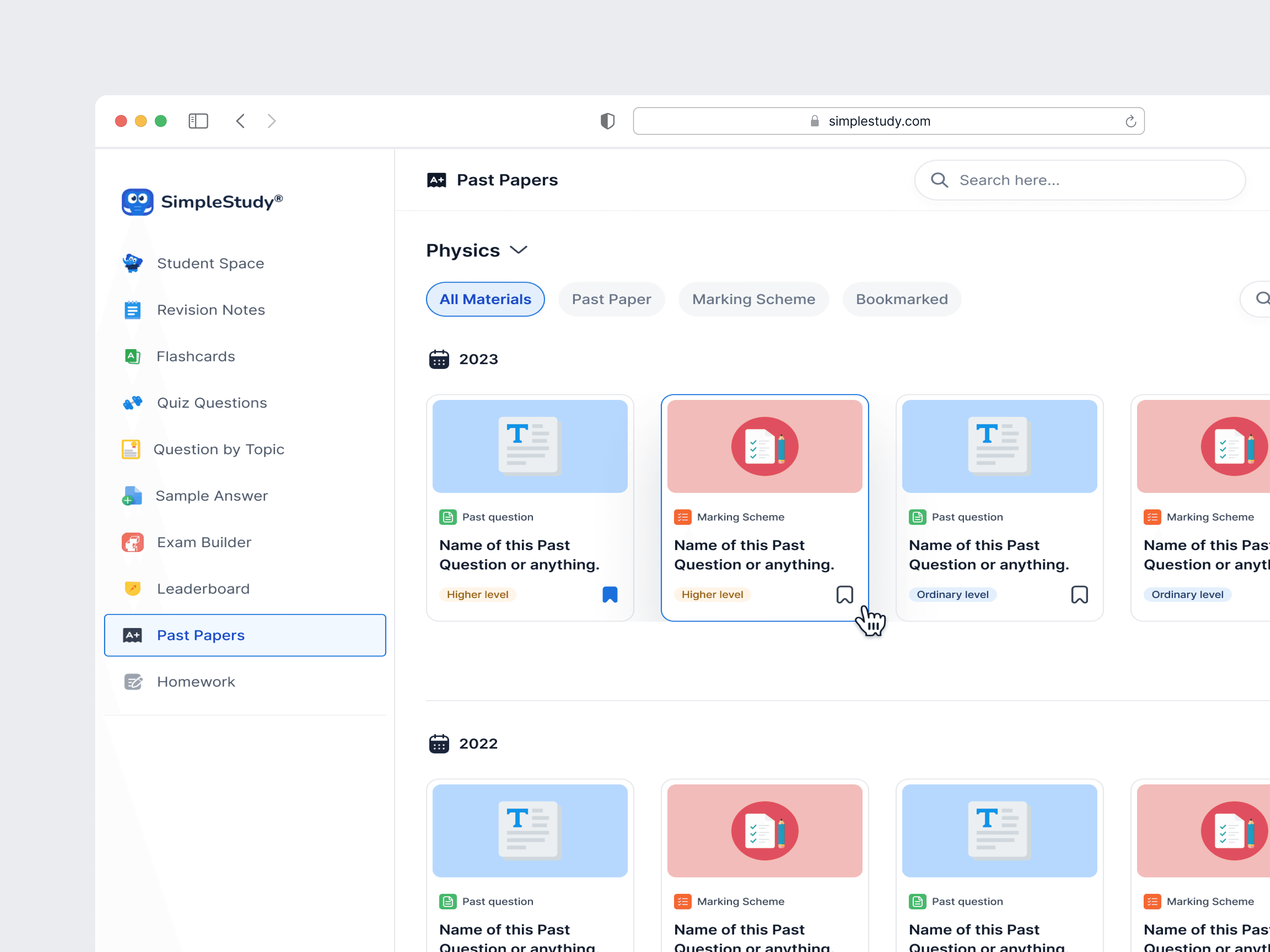
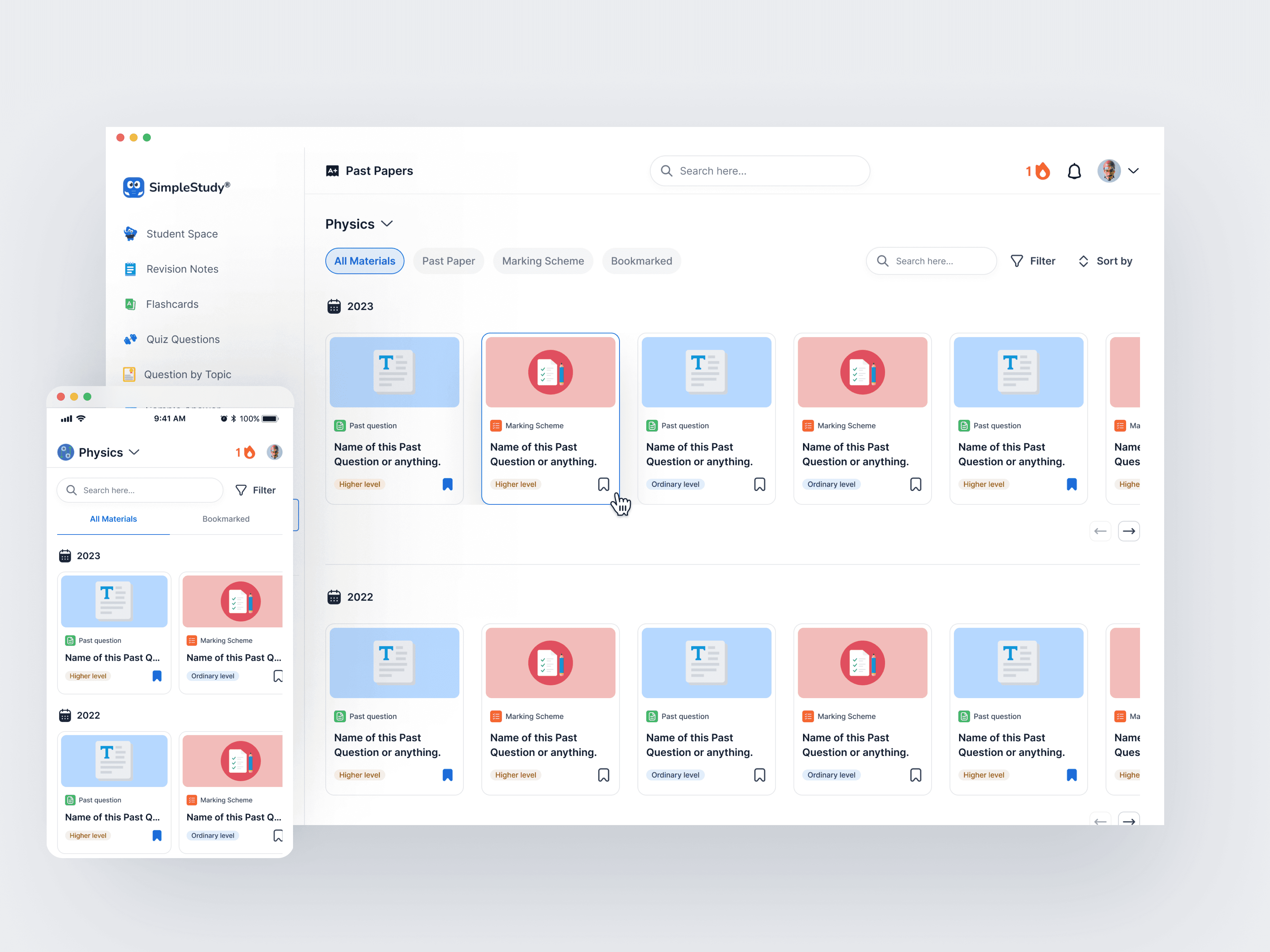
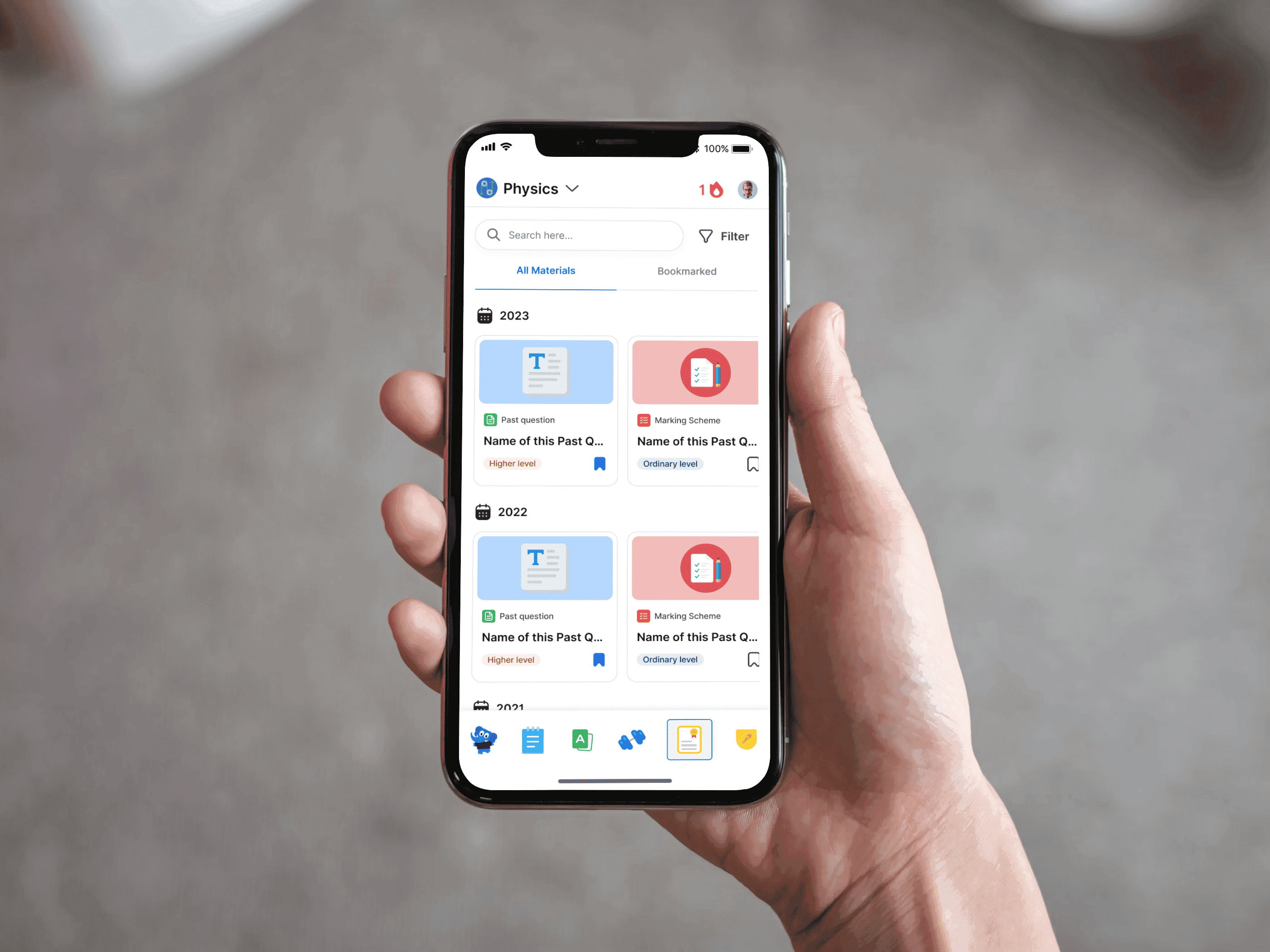
The final design addressed the issues by introducing:
Improved Visual Hierarchy: Clear labeling and structured content organization.
Enhanced Navigation: Redesigned side navigation that reduces clicks and simplifies access to key sections.
Search and Filtering Options: Added features to help users narrow down results quickly and efficiently.
Tabs and Labels: Grouped content by paper type and level (e.g., higher or ordinary), providing clarity.
Bookmark Feature: Enabled users to save frequently accessed papers for easy retrieval.
Streamlined Scrolling: Reduced the need for excessive scrolling by reorganizing content placement.
The final design addressed the issues by introducing:
Improved Visual Hierarchy: Clear labeling and structured content organization.
Enhanced Navigation: Redesigned side navigation that reduces clicks and simplifies access to key sections.
Search and Filtering Options: Added features to help users narrow down results quickly and efficiently.
Tabs and Labels: Grouped content by paper type and level (e.g., higher or ordinary), providing clarity.
Bookmark Feature: Enabled users to save frequently accessed papers for easy retrieval.
Streamlined Scrolling: Reduced the need for excessive scrolling by reorganizing content placement.
The final design addressed the issues by introducing:
Improved Visual Hierarchy: Clear labeling and structured content organization.
Enhanced Navigation: Redesigned side navigation that reduces clicks and simplifies access to key sections.
Search and Filtering Options: Added features to help users narrow down results quickly and efficiently.
Tabs and Labels: Grouped content by paper type and level (e.g., higher or ordinary), providing clarity.
Bookmark Feature: Enabled users to save frequently accessed papers for easy retrieval.
Streamlined Scrolling: Reduced the need for excessive scrolling by reorganizing content placement.
The new design was created to address the challenges identified in the old design audit, ensuring a more seamless and efficient user experience.
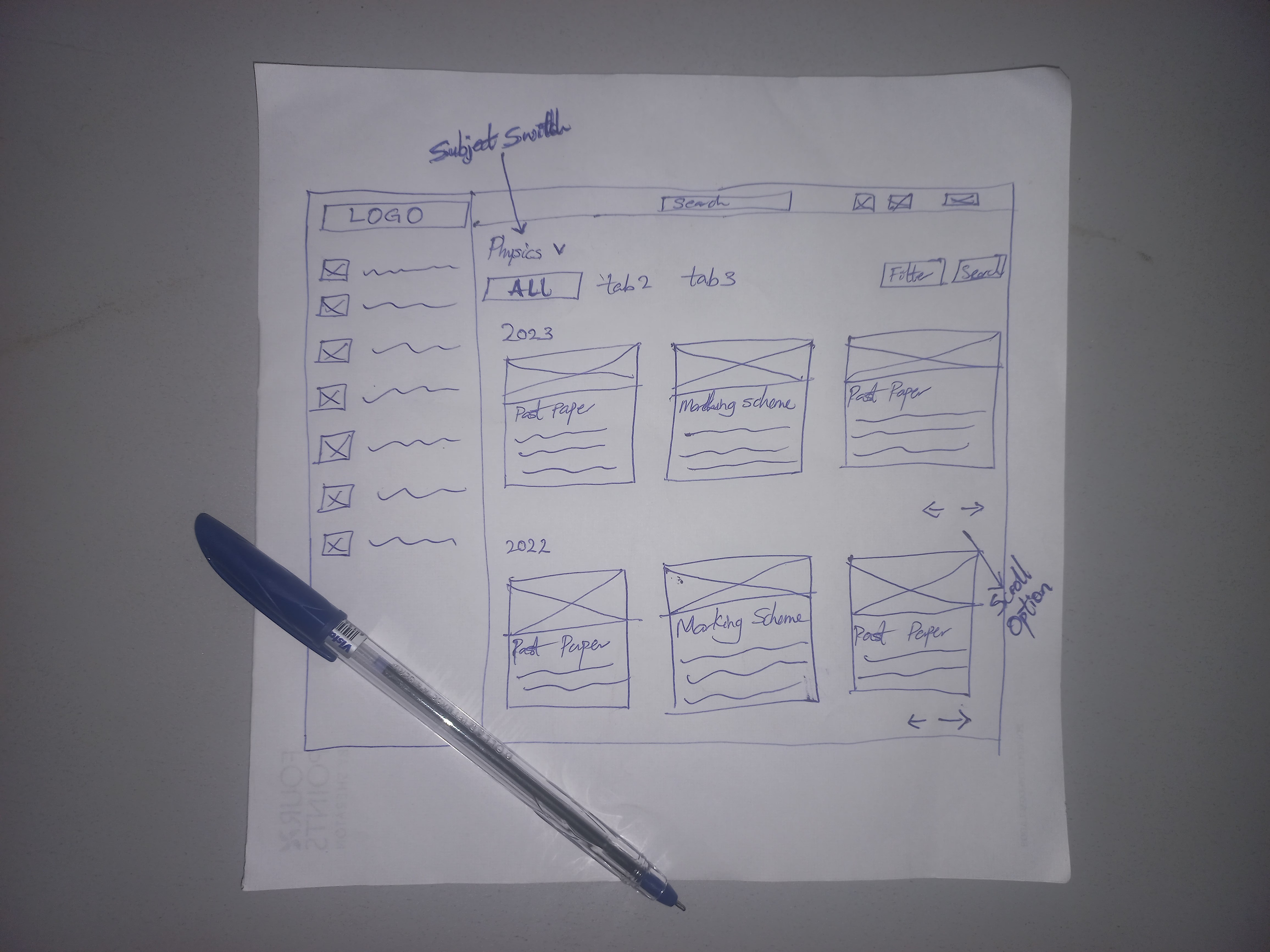
The foundation of the redesign began with simple hand-drawn sketches. These sketches allowed me to quickly iterate and explore different layouts and features, focusing on user needs and improved navigation.
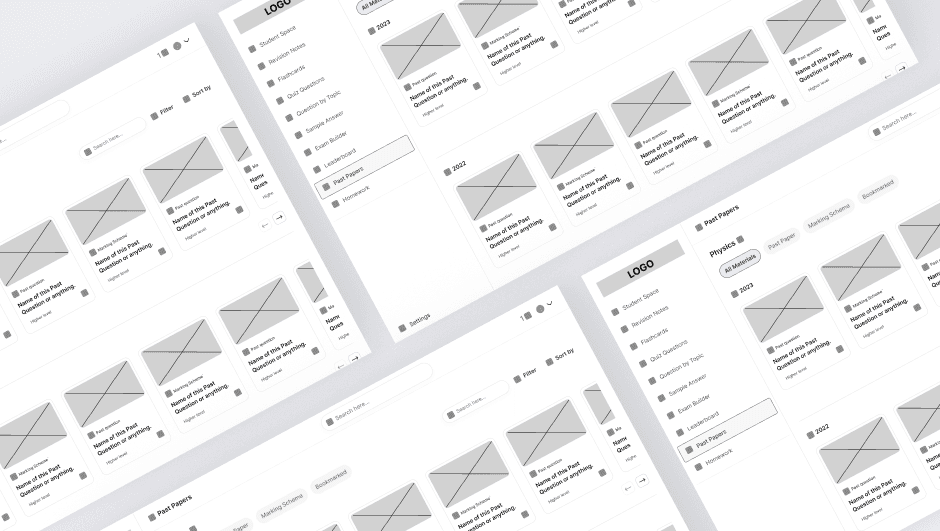
I translated the sketches into low-fidelity wireframes using Figma. This step ensured a clear structure for the page, highlighting content hierarchy, layout consistency, and key interactions for a better user experience.
The final stage involved creating a high-fidelity design that incorporated an intuitive layout, visually appealing elements, and improved usability. Attention was paid to visual hierarchy, color schemes, and typography to enhance the overall user experience.
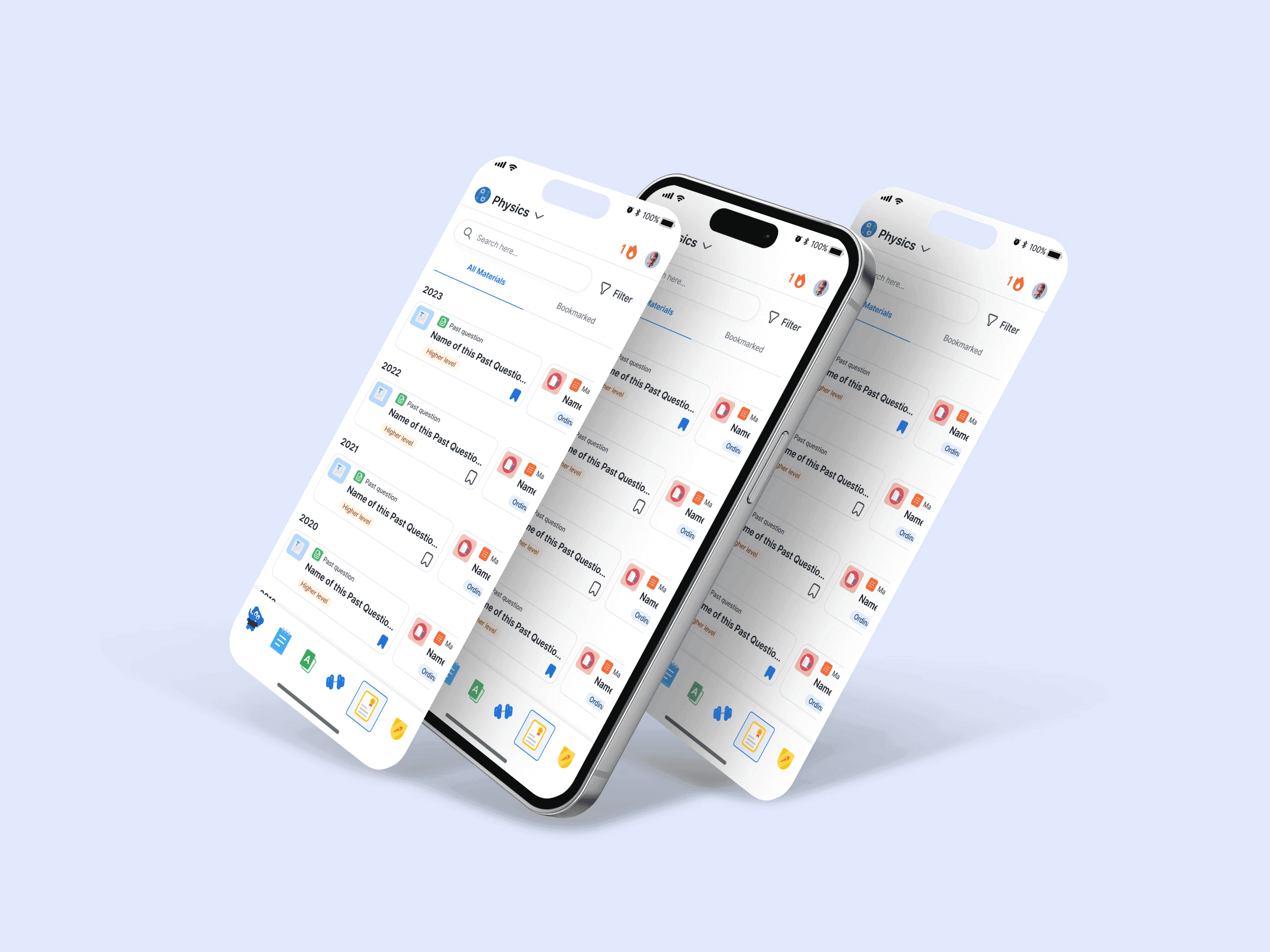
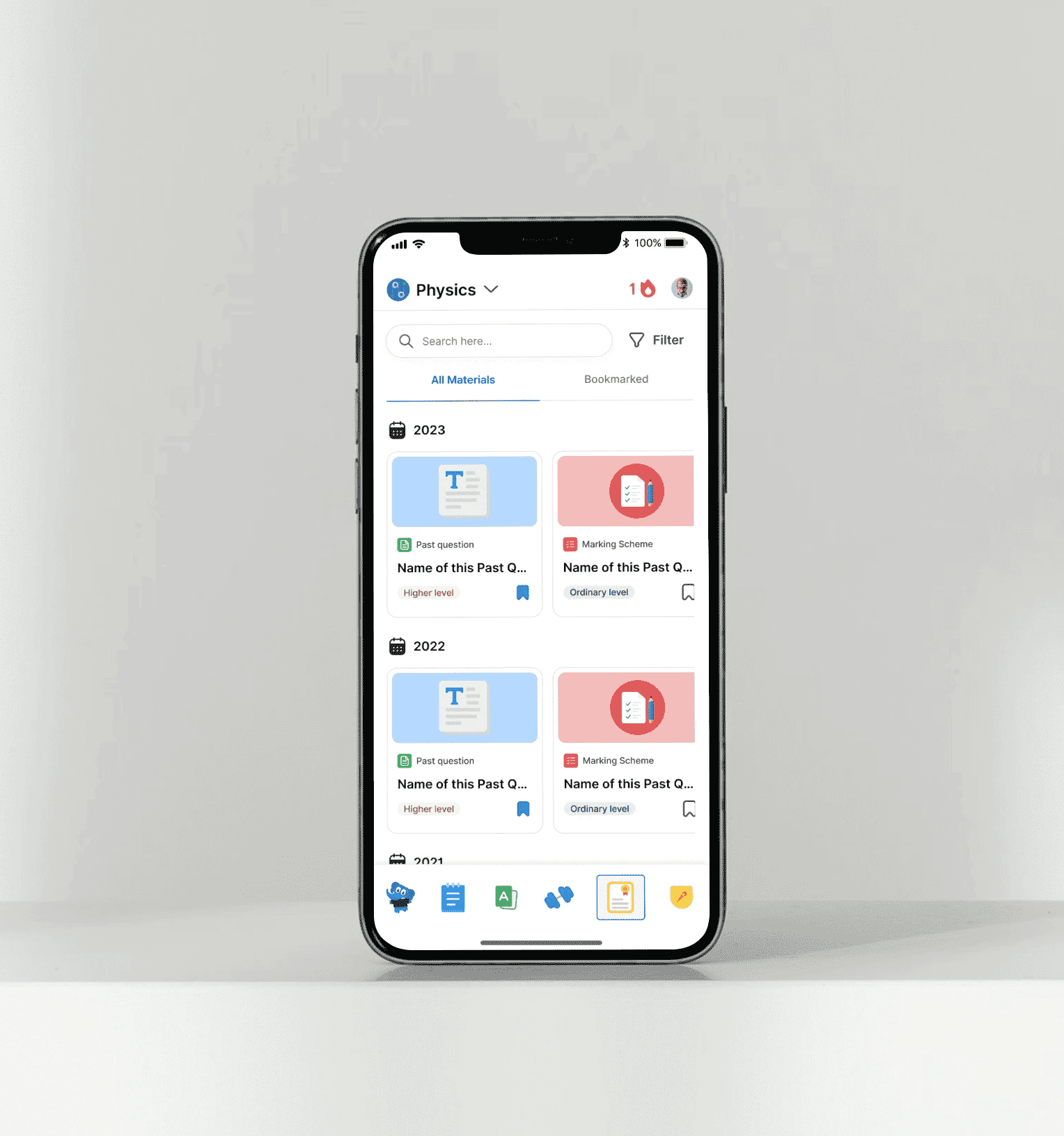
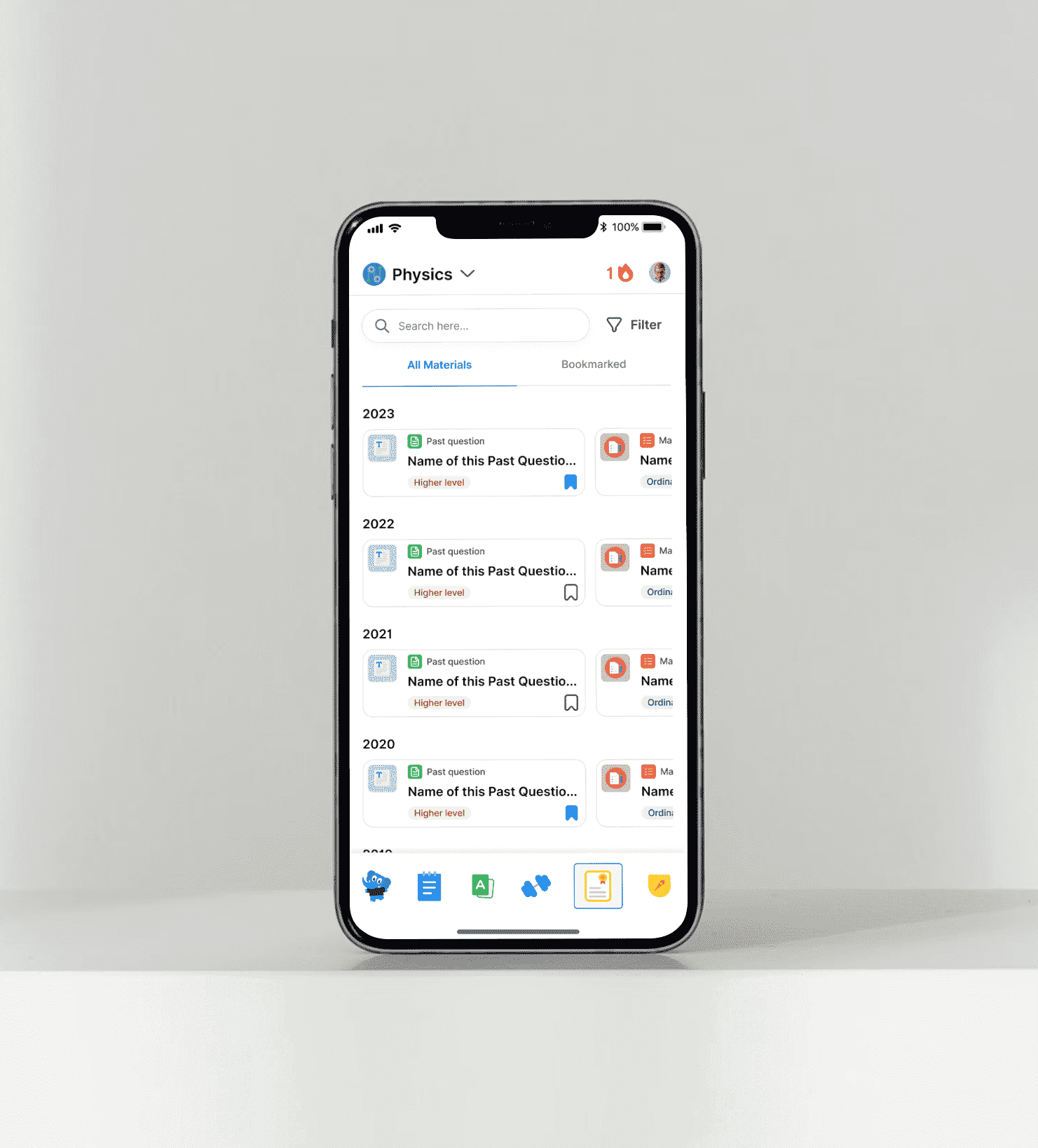
To evaluate the effectiveness of the redesign, I created two distinct layouts for the mobile responsive view. These layouts are designed to be tested with users to identify which one resonates better in terms of usability, engagement, and user preferences. The results from this testing will guide the final implementation for optimal performance.
The redesign addressed critical user pain points and introduced features to enhance the overall user experience.